How to use the Loopshore
indoor climate service
Welcome to measuring!
Your measuring journey starts here
Start the device
Set a password
Log in to the service and view the data
Start the device
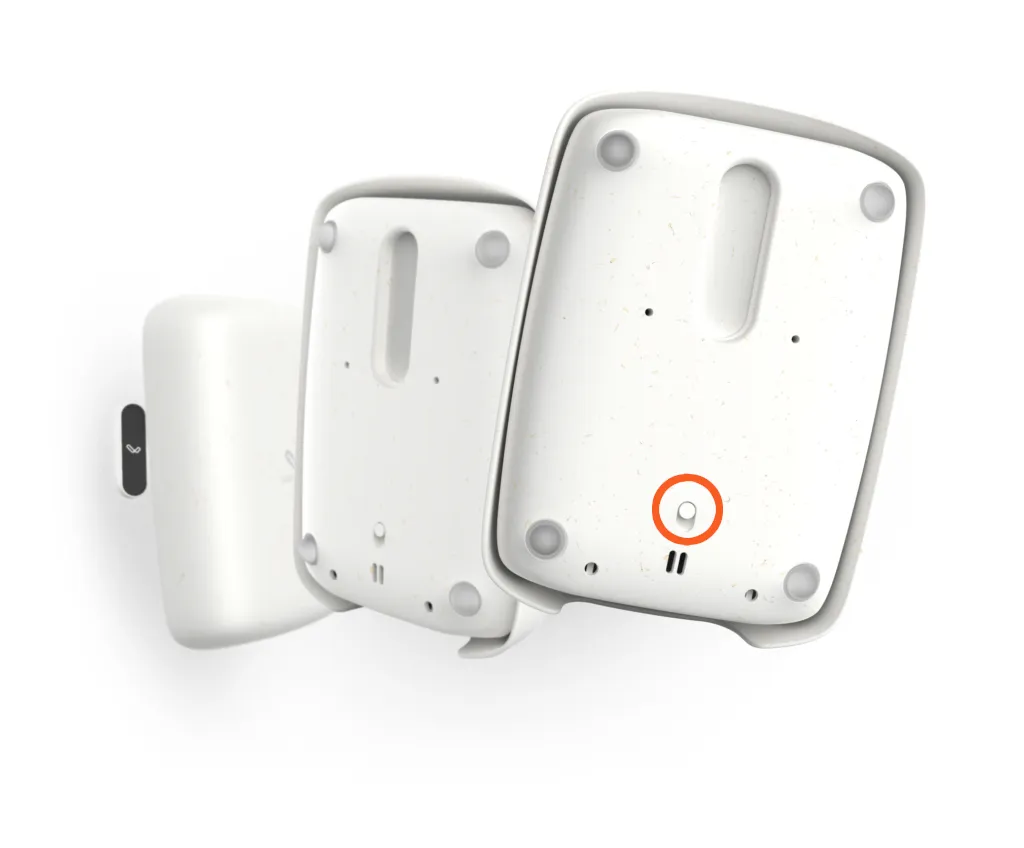
When the device has arrived, set the switch on its back to “ON”. You will hear a beep.
Measuring has now started! The data appears in the service within a few minutes, and you can follow the measurements in real time.
More detailed device instructions are in the Loop One user’s manual: link.
Set a password
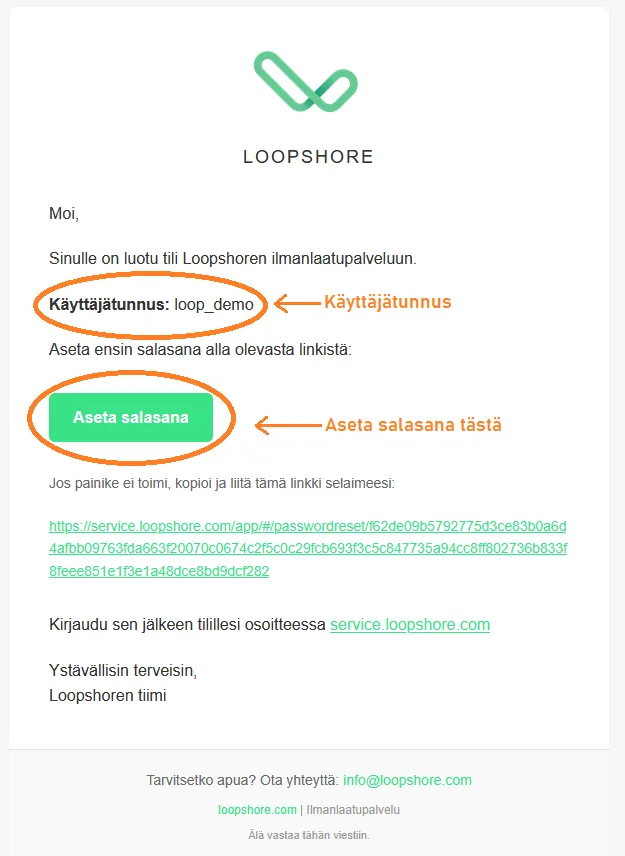
The email contains a link where you can set your own password.
Click the Set password button in the email or the link below.
Choose a secure password and enter it twice in the input fields.
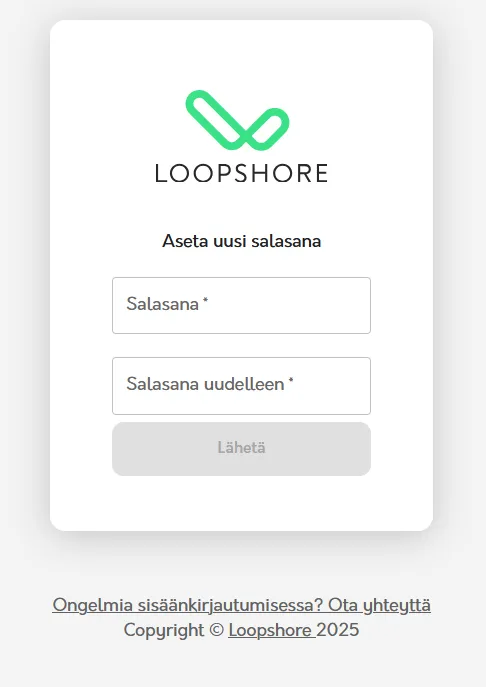
Once the password has been created, you will get a confirmation email and are ready to log in!
Your measuring journey starts here.
Log in to the service and view the data
Go to https://service.loopshore.com/ and log in with your username and
the password you set. Your username is in the account creation email.
After logging in, you will first see the Buildings page, where each of your buildings is shown as its own card.
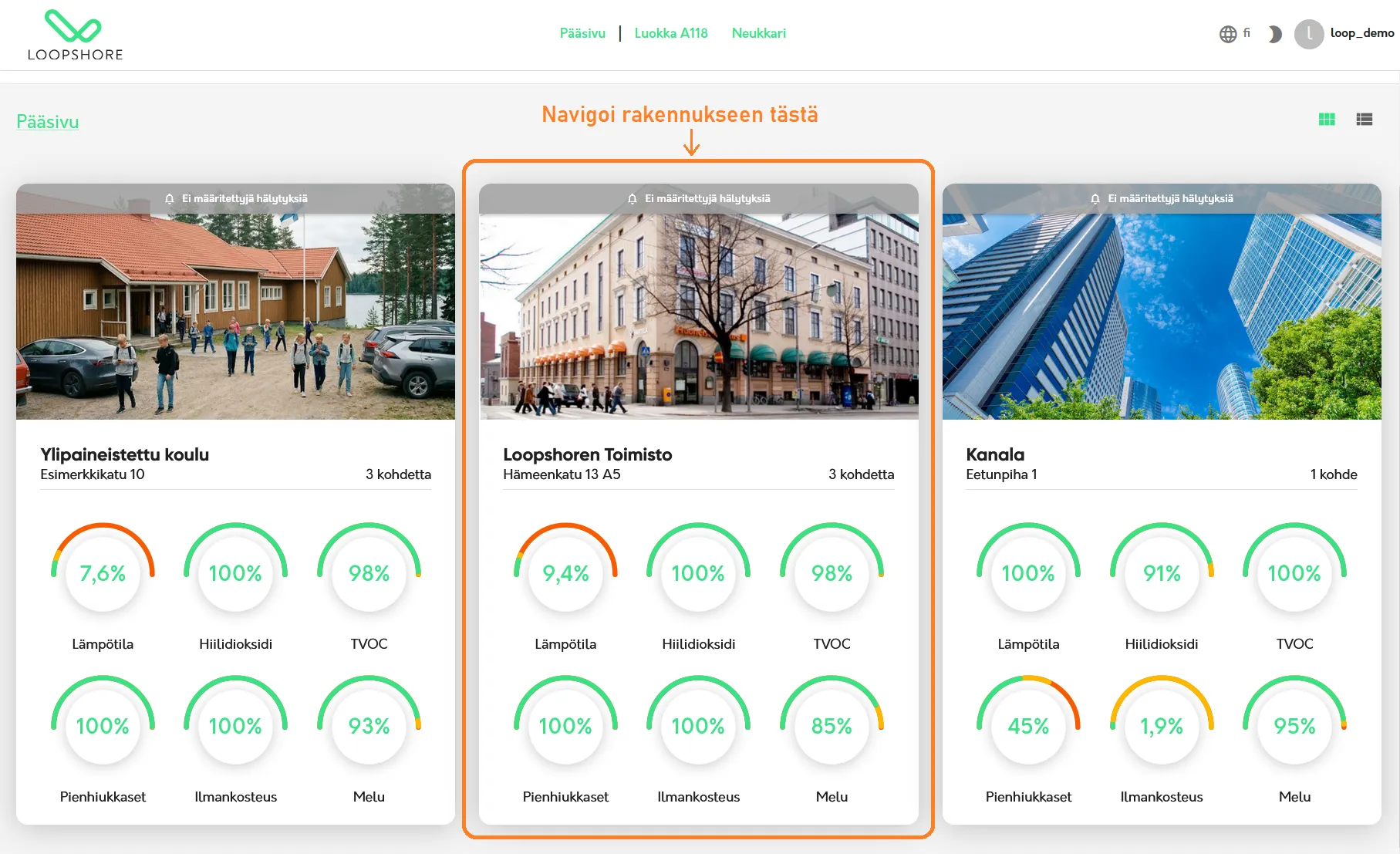
Click a building card to open the building view.
The building view shows a summary of all measurements in the building.
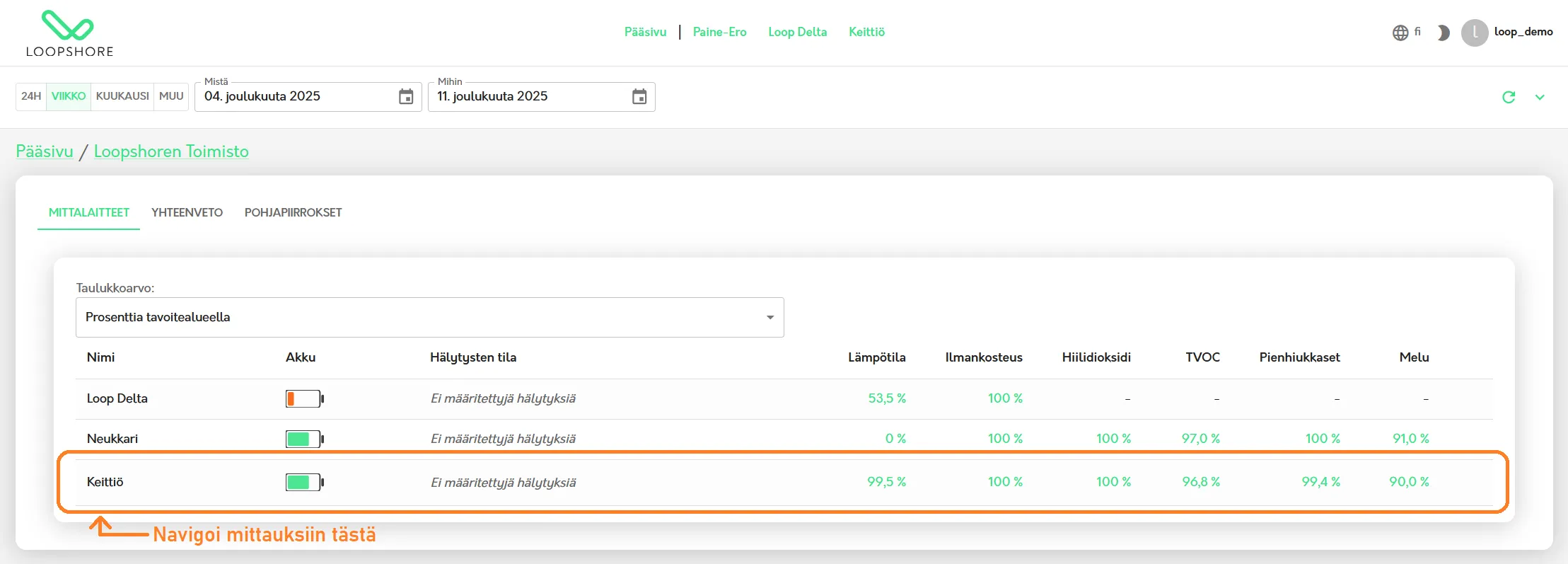
In the building view, click a device’s row to see its measurements as graphs.
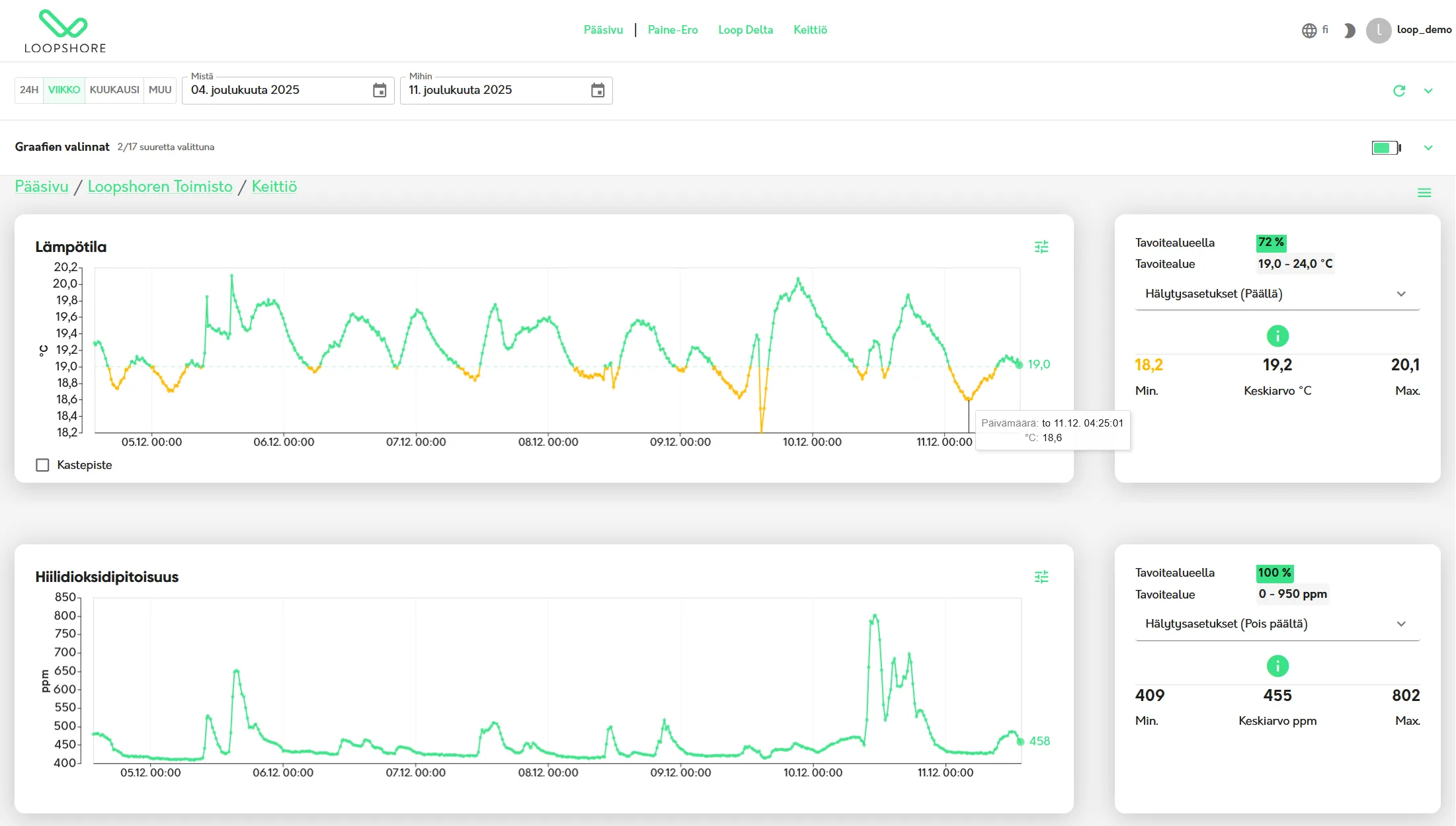
This page shows all measurements for this space. You can, for example, view the data over different time ranges, adjust settings, create PDF reports or subscribe to alerts.
You are now ready to use the service. Happy measuring!
We keep adding new features and improving the guidance, which is updated on the instructions page:
Log in to the service here: